
How to set up autoreply mails
Updated Thursday, February 5, 2026
Introduction
Emails autoresponders can be used for a wide range of purposes: out-of-office email, order/payment confirmation, acknowledgement of a customer inquiry… rather than replying manually, your email system sends a prewritten message on your behalf. It is a convenient way to let your recipients know that you are taking care of them even if you can’t reply immediately.
Configuration
Migadu allows you to send automatic replies using Sieve, a programming language which is commonly used for filtering email messages. You can configure it directly in your webmail account.
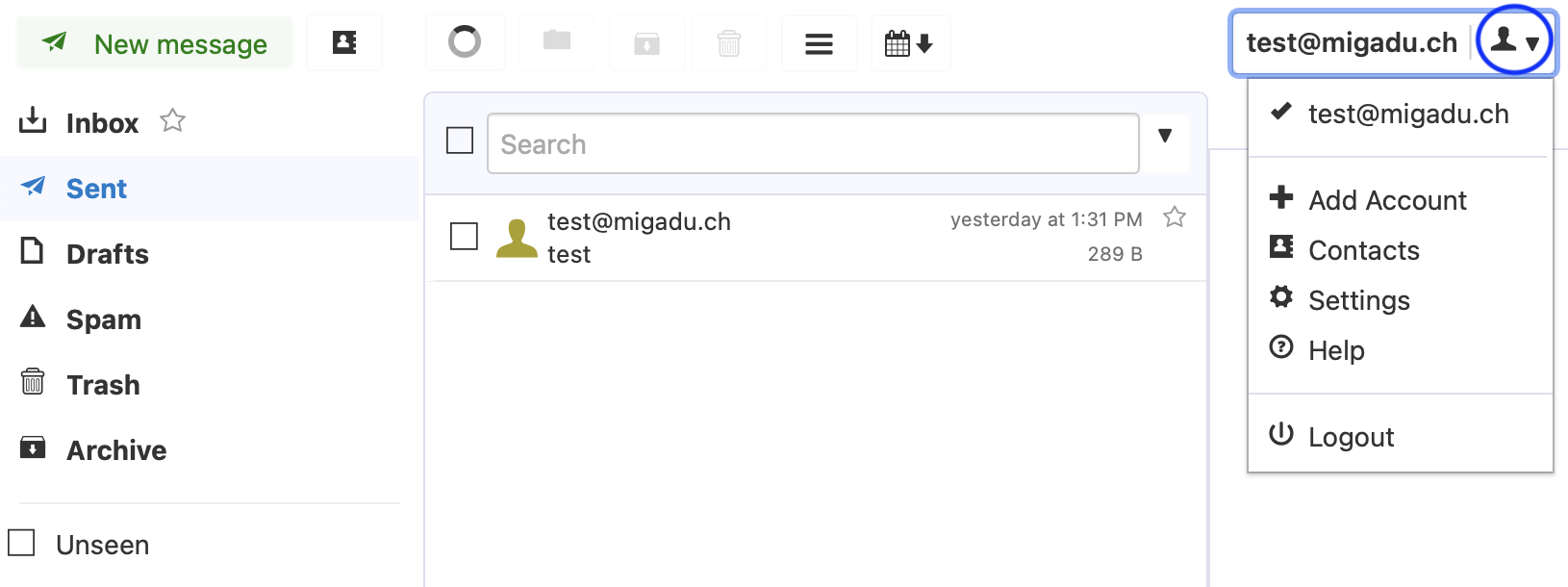
Once you have logged into your webmail, click on the profile icon at the top right of the page and then on “Settings”.
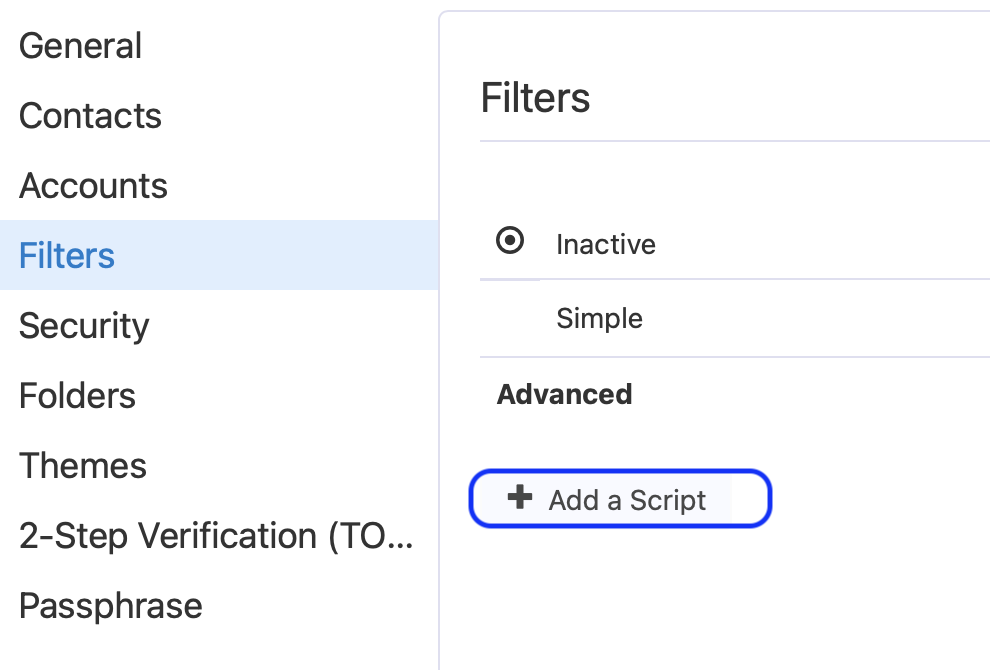
In the “Filters” tab, “Add a script” in the advanced settings.
Because commands like vacation are not available by default, you must explicitly enable the vacation extension at the very beginning of the script, before any command that depends on the extension. We recommend that you add an ‘if condition’ to the code to avoid replying to no-reply addresses, mailing lists or auto-senders. You can then adjust the number of days and the content of the message as in the example below.
require "vacation" ;
if not header :contains "precedence" ["list", "junk"] {
vacation :days 7 :subject "Out of Office"
 "I am currently away and will get back to you shortly.";
}
Please note that only one single script can be active. This means if you already have sieve filters active you need to add the code above into the same script.
If you want to set up an automatic reply for a specific date range, you can customize the following code to suit your needs. Don’t forget to adjust the UTC time zone and, if necessary, to adapt it to the winter/summer time change.
require ["vacation", "date", "relational"];

if allof (
 currentdate :zone "+0100" :value "ge" "date" "2026-02-05",
 currentdate :zone "+0100" :value "le" "date" "2026-02-07"
) {
  vacation :days 1 text:
I'm on vacation until February 7. I'll respond when I return.
.
;
}